Find the perfect grading solution for you in the Baselight product range.
For the Colourist
Take a look at the world’s most powerful colour grading and finishing system for film, TV, commercials and broadcast, backed and delivered by industry-renowned support.
Baselight v7 simplifies the complexity of modern workflows, allowing you to concentrate on the creative aspects of colour grading. Its unique and flexible layer architecture – with implicit alpha handling and multitrack timeline – give you the creativity, confidence and control to handle any project.
Baselight for all
Which macOS application is right for me?
With multiple software options available on macOS, use this table to choose the right one for you.
| Capability | Baselight CONFORM¹ | Baselight ASSIST¹ | Baselight S | Baselight M |
|---|---|---|---|---|
| Full Baselight creative toolset | ||||
| Support for Slate or third-party panels | ||||
| Support for Blackboard Classic | ||||
| Support for Blackboard 2² | ||||
| Support for optional CONFORM and ASSIST workstations³ | – | – | ||
| Render from local render queue | ||||
| See and submit to remote queues | ||||
| Perform fast media search and conform using remote volume indexes | ||||
| Read from remote systems using streaming image server | ||||
| See and open scenes on remote databases | ||||
| Use a remote global formats database | ||||
| Utilise floating licences | ||||
| Manage remote FilmLight storage with FLUX Manage | ||||
| Use FilmLight REMOTE |
¹
Baselight CONFORM and ASSIST licences are only available to customers with an active Baselight M subscription, or a Baselight hardware system on support; contact your local salesperson to discuss your requirements.
²
Requires the Blackboard Bridge device, which is available from FilmLight for systems on support.
³
Terms and conditions apply; contact your local salesperson to discuss your requirements.
Professional Colourists choose Baselight v7
Here are just some of the reasons why.
Matte channel selection
The new matte channel and cryptomatte picker in the Reference operator makes channel selection fast and accurate. Any available matte channel sources can be viewed as a list or a thumbnail grid.

Updated Matte Merge
Matte Merge now supports up to 128 inputs with a thumbnail display for each matte input. The new matte picker simplifies selecting and combining multiple upstream mattes.
Create object-based mattes with Segment Anything
Segment Anything is a Flexi Effect that generates mattes using image segmentation. Select the objects you need to isolate using a rectangle or by adding points to the image.
Use layers to organise multiple objects, and control the visibility of objects and layers.

Integrated Depth Map generation
The Depth Map generator creates beautiful, high quality depth maps from live action shots, which can be used with the Depth Keyer to guide corrections by the depth information from the image.
You can also use it with the new Haze operator to simulate atmospheric effects, or create realistic optical effects with the improved Bokeh.
Bokeh
Haze
Making the most of mattes
The Edge Filter has been enhanced to recover high frequency detail from the source image, creating more refined edges.
And the new Matte Refiner performs background and foreground segmentation to recover hair and other edge details.

Improved cache management
The improved disk cache architecture allows for individual scene cache protection and provides a new Cache View to manage caches.
Operators can now have strip caching enabled by default too, and you can cache individual operators within a layer.
Texture smoothing
The new Texture Smoothing tool allows you to smooth imperfections in skin, without losing detail.
Streamlined Transform Matching
Transform Matching removes the guesswork when matching offline and conformed images. Choose to match single frames or entire shots, and accurately replicate scaling, rotation and translation, creating keyframes as required.
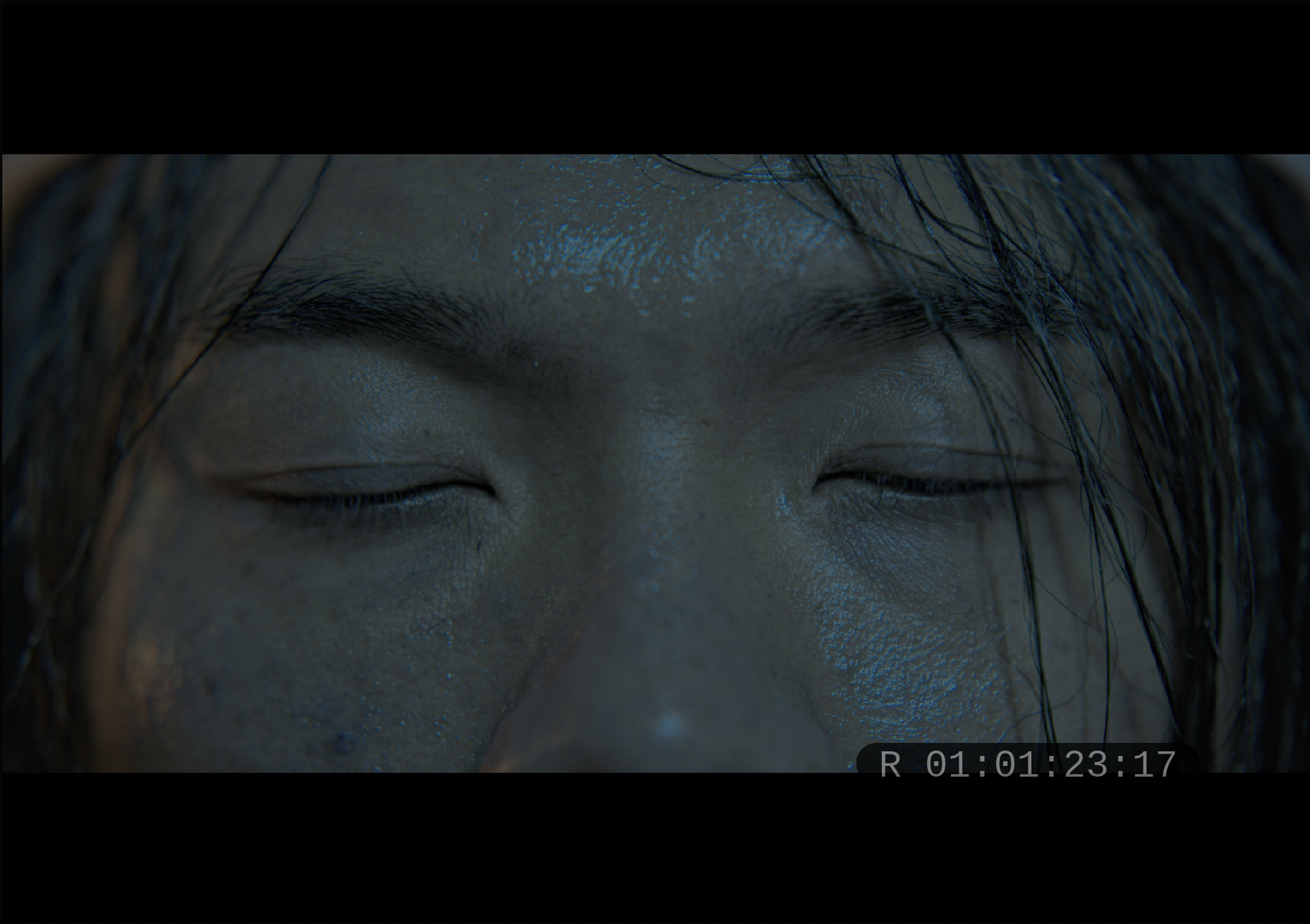
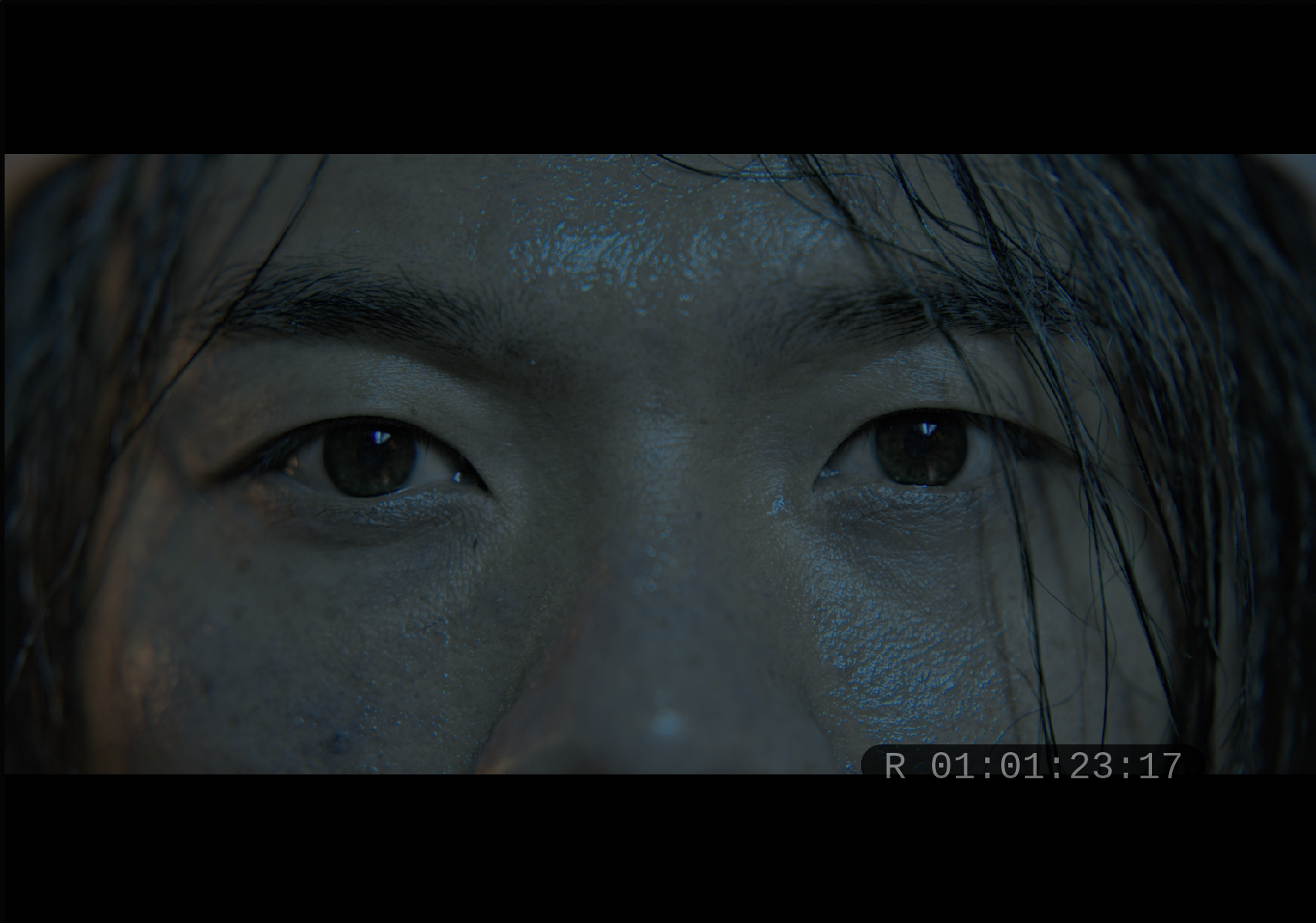
Saving the shot with Flow Blend
Flow Blend repairs damaged frames by generating a full or partial replacement based on existing frames. It can be used to remove jump cuts from a scene, or even to remove unwanted blinks that ruin a perfect take.
It’s one of the options in the new Transition operator, too.
Before/After Flow Blend
Colour-managed HDR grading on Mac
You can now view HDR content on Apple XDR or compatible HDR displays, and view multiple cursors with different colour spaces accurately on the same display.
Flexible transitions
The new Transition operator offers multiple options for transitioning between two shots including Dissolve, Wipe, Transform, Flow Blend and Dip to Colour.
A range of SMPTE wipes are supported when conforming from a suitable EDL.
Redesigned channel management for modern workflows
A new channel system allows unlimited channels to be added from external mattes, or additional channels to be generated from other operators.
You can also export multi-channel EXRs.
Dolby Vision review
Dolby Vision metadata embedded in Dolby Mezzanine, IMF MXF or QuickTime media can now be used to create Dolby Vision Analysis and Trim strips in the scene when the media is imported.
Custom keyframes and animation graphs
‘Enhanced’ keyframe animation curves make it possible for each keyframe to specify its own interpolation behaviour.
...and of course, these renowned features too.
X Grade
X Grade allows you to make multiple localised and complex corrections in a single layer – without having to create a key or matte.
It’s a totally new method of creative primary correction, as revolutionary as Base Grade was for HDR grading.
Face Track
Using an underlying machine learning model Face Track finds all the faces in a scene and tracks them, adjusting smoothly as each face moves and turns throughout a shot.
And you can copy and paste the correction to the same face across the entire timeline, or to a different face if you need to.
Chromogen look development
Chromogen has been produced by FilmLight’s image engineers alongside the world’s foremost colour creatives, and is designed from the ground up to produce scene-referred looks.
Integrated, natural image effects
From Haze and Bokeh, which can be combined with a depth matte to produce beautifully natural looking shots with simulated haze for points behind the focal plane or a more filmic depth of field, to Lens Flare, which allows complex flares to be built up in simple individual stages, to Halation, and more…
Baselight makes the most challenging of effects simple to achieve.
Unique, flexible layer architecture
Baselight has a unique and powerful layer compositing timeline that gives you the creativity, confidence and control to handle even the most complex of projects. It provides a clear view on the underlying node tree that it represents, and also provides a shot-aware edit mode, multi-track support, and implicit alpha handling.
Not all facilities require the power and functionality of a full Baselight system. That’s why Baselight Editions provides premier colour correction directly within your Avid, NUKE or Flame workflow.
Deliverables
Need to deliver for Dolby Vision? No problem. DCP? Of course. IMF? Absolutely.
Baselight provides unparalleled support for the very latest in delivery formats. And you can rest assured that as these standards develop and change, we’re ready for it.
Unrivalled colour science
FilmLight is renowned for its expertise in colour science. And Truelight Colour Spaces have brought this into the realm of digital cinematography.
They allow colour space conversions to be performed with the speed, accuracy, and dynamic range permitted by native floating-point GPU functionality.
World-class support
We believe in what we do.
Whether you need guidance on a colour pipeline or have a question about the latest colour tools, we’re always available to help.
Veronica Tiron puts Baselight v7 to the test on Baselight S for macOS
After the release of Baselight v7, we caught up with the colourists who road-tested the release to find out which new tools they’re most excited about.
Cem Ozkilicci — a freelancer’s perspective on Baselight v7
After the release of Baselight v7, we caught up with the colourists who road-tested the release to find out which new tools they’re most excited about.
Grading Chespirito: Sin Querer Queriendo
The colour grade for this popular Mexican series was completed by Fernando Medellin, head of colour at Oxido.
The aesthetics of dystopia:
Colour grading Black Mirror season 7
PART THREE: Eulogy
The season showcases a diverse array of directors, but one constant across five of the six episodes was senior colourist Sam Chynoweth at The Farm.
The aesthetics of dystopia:
Colour grading Black Mirror season 7
PART TWO: Hotel Reverie
The season showcases a diverse array of directors, but one constant across five of the six episodes was senior colourist Sam Chynoweth at The Farm.
The aesthetics of dystopia:
Colour grading Black Mirror season 7
PART ONE: USS Callister: Into Infinity
The season showcases a diverse array of directors, but one constant across five of the six episodes was senior colourist Sam Chynoweth at The Farm.
Behind the scenes of ‘Cercle Odyssey’
A discussion with director Neels Castillon, cinematographer Eric Blanckaert and colourist Sylvain Canaux.
‘Squid Game’ Season 2
Exploring the creative journey with DoP Kim Ji‑yong and colourist Park Jin Young.
We support
Everything you need to get the most out of your Baselight system.
What Colourists say about Baselight
Don’t just take our word for it.
